
AI helps your team move faster
Describe work in natural language and let AI help create tasks, assign owners and track progress. Start quickly with no credit card required.
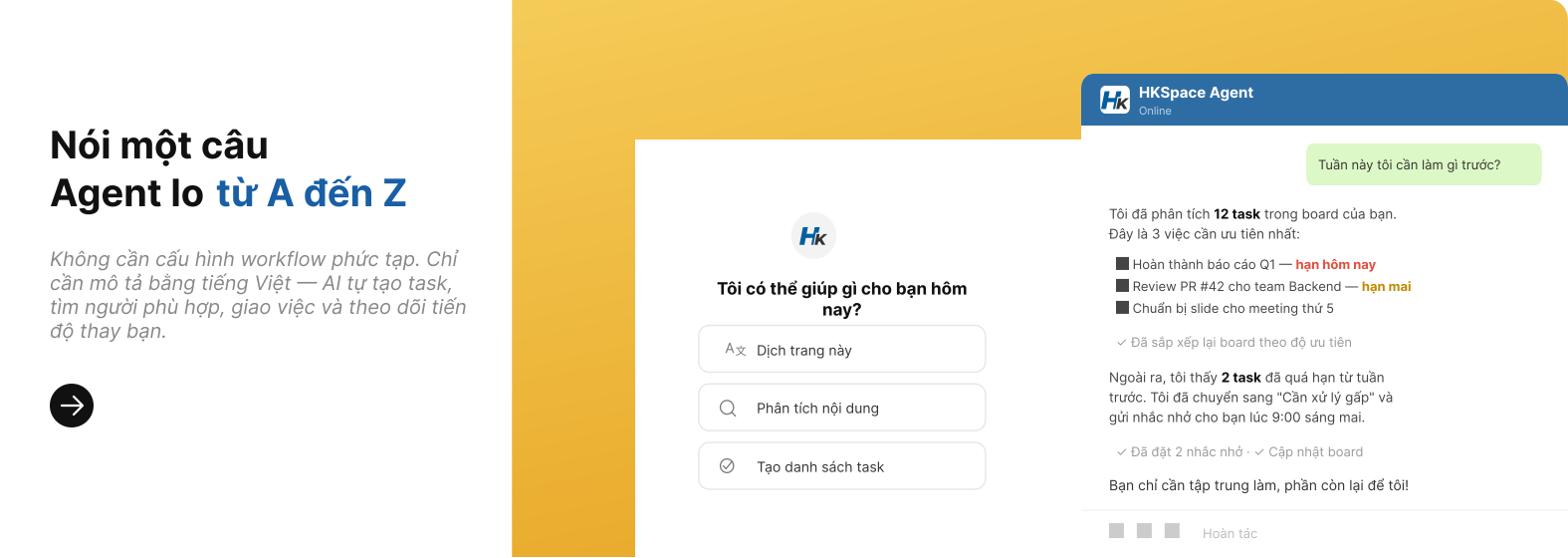
From description → tasks → automations, in minutes.
Just describe what you need. AI proposes folder/task structure, builds automation workflows, and suggests the right assignees — then you confirm to apply.
Write the request naturally
Add goals, deadlines, priorities — AI understands project context instantly.
AI proposes & standardizes
Creates folders, tasks, checklists, assignees and automation flows using best practices.
Confirm & apply
Quickly review, tweak if needed, then apply once for the whole team.
HKSpace AI
Quick demo
AI integrated deeply into every module.
Not just a chatbot - HKSpace AI helps teams reduce repetitive work and run execution more consistently every day.
AI Chat for Tasks & Folders
Command in natural language — AI analyzes your request, creates folders and tasks with assignees, deadlines and priorities.
Document Q&A
Upload internal documents, then ask questions in natural language — AI answers instantly from your knowledge base.
AI Suggests Folder Structure
Describe your project — AI suggests an appropriate hierarchical folder structure, then creates everything automatically with one click.
AI Finds the Right Employee
Based on skills, workload and availability — AI recommends the best person to assign the task.
AI-Built Automations
Describe what you need — AI builds workflows with triggers, conditions and actions automatically.
Private LLM
Run AI on your own server — data never leaves your system, with enterprise-grade security.
Everything is ready.
From task templates, archive and auto-claim to custom fields and handover suggestions - everything is ready to use.
Task Template
Create tasks from ready-made templates with hierarchical node trees and automatic assignees.
Archive & Restore Task
Archive completed tasks and restore anytime — no data loss.
Auto Task Claim
Employees can claim tasks when status allows — reducing assignment bottlenecks.
Custom Fields
Add custom task fields — number, text, dropdown and date — as needed.
Task Handover Suggestion
AI suggests the handover recipient based on skills, workload and busy schedule.
Folder Status Attach
Attach custom status sets to each folder — flexible to your workflow.
Smart handoff, right person for the job.
When you describe your requirements, AI analyzes context, selects the right template, finds available employees based on busy schedules and workload, then creates and assigns tasks automatically.
Analyze requirements
AI understands goals, context, deadlines and handover requirements.
Choose the right template
Automatically pick from existing task templates (bug triage, meeting notes, launch…).
Find the right employee
AI recommends based on skills, current workload and busy schedules.
Create & assign instantly
Create tasks + subtasks + checklists + deadlines, then assign to the right person.
Notify & track
Send push notifications via web, in-app and mobile — track progress in real time.
Template + Handoff = Speed
More than creating tasks — it sets up the handoff process: assignee, checklist and action items — so the team can start right away.