
One platform
for your entire team operations.
HKSpace combines project management, workflow automation, HR and CRM into one system — with Vietnamese AI, helping teams of 5 to 500 operate efficiently without juggling scattered tools.
Design Dashboard UI
New TaskBuild the overview page showing project progress, team KPIs and work schedules.
Add New Member
Nguyễn Văn Minh
Project Manager
Trần Thị Lan
UI Designer
5 Files
One platform for your entire team operations.
Common pain points
More tools, more chaos.
Tasks in Trello, HR in spreadsheets, chat in Slack — data scattered everywhere, no one sees the full picture. Teams lose hours daily on work that machines should handle.
Fragmented data
Tasks in one place, HR in another, CRM somewhere else. Managers piece together info from 4–5 tools every day.
Repetitive manual work
Copy-pasting data, sending reminder emails, updating status by hand. Your team loses hours on work that should be automated.
Slow onboarding, complex permissions
New hires take a week to get proper access across 4–5 different tools. No clarity on who can see or do what.
No AI or automation
Want automation? Buy Zapier. Want AI? Use ChatGPT and copy-paste. Nothing connects seamlessly to daily work.
One Platform for Tasks,
Automation, HR & AI
From task assignment and progress tracking to workflow automation, HR and CRM — HKSpace brings everything into one place so your team stops switching between tools.
Deploy payment API
Integrate OnePay payment gateway, handle automatic callbacks and usage-based billing.
Flexible Hierarchical Tasks
Unlimited-level task tree, subtasks, comments, reminders, attachments and custom fields — manage from overview to detail.
Team Permissions
3-Level Permissions
Nguyễn Văn An
Admin · Global
Trần Minh Tú
Owner · Folder
Role-Based Permissions
Control who can view, edit or approve at Global, Folder and Task levels — permissions flow down automatically so setup stays simple.
Automations Running
92% success rate
Workflow Automation
Build drag-and-drop workflows with triggers, conditions and actions — runs in the background with webhook support and detailed logs.
AI Assistant
Describe what you need in plain language — AI creates folders, tasks, assigns work and searches your documents instantly.
HR Module
Manage departments, positions, leave requests, schedules, GPS check-in and KPI tracking — built right in.
To Do
Login flow
UI Form
In Progress
Payments
Done
Permissions
Reports
5 View Layouts
Board, Table, Tree, Calendar, Gantt — switch instantly with multi-dimensional filters and drag-drop sorting.
13+
Automation Steps
12
Integrated Modules
3
Permission Levels
3
Notification Channels
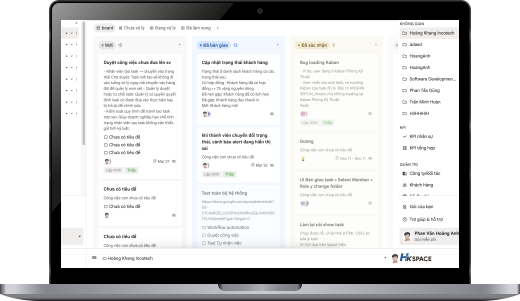
Your operations
command center.
Real-time overview of projects, tasks, automations and teams. Every piece of information is one click away — no need to ask for updates.


Your AI assistant,
ready 24/7.
Describe your work in natural language — AI creates automation flows, suggests folder and task structures, finds the right people, and answers questions from your documents instantly.
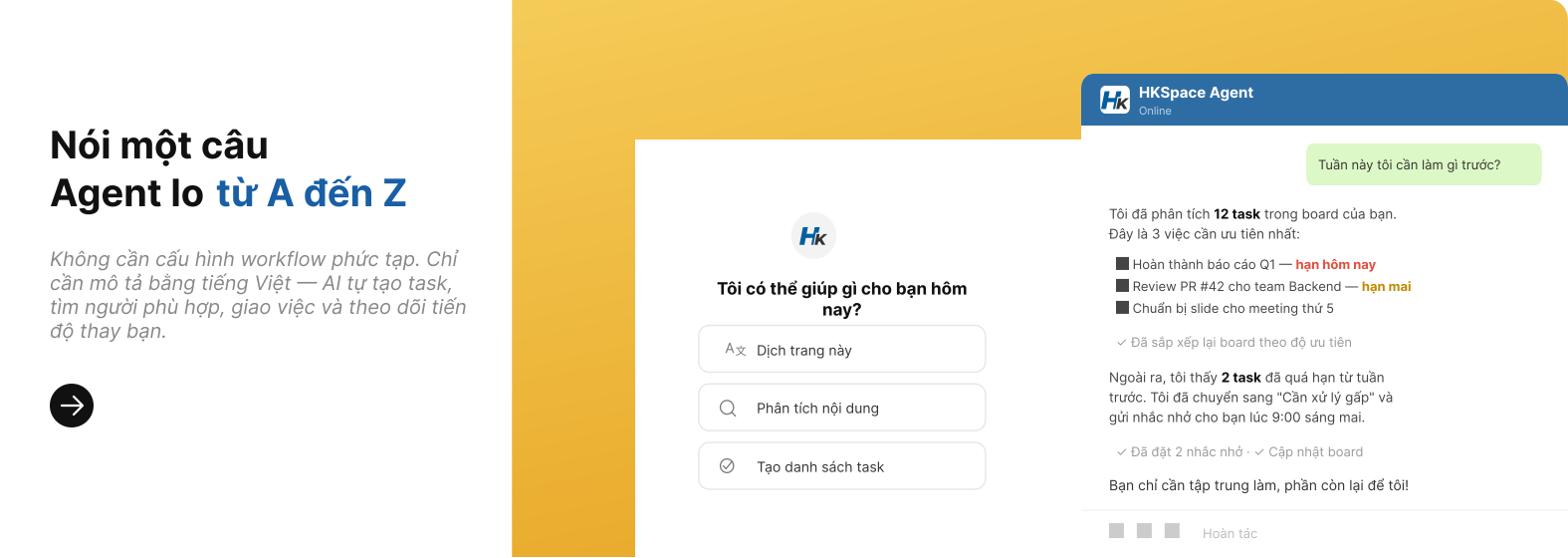
AI integrated deeply into every module
Create Tasks & Folders via chat
Command in natural language — AI creates folders and tasks with assignees, deadlines and priorities.
Document Q&A
Search and ask questions about internal docs in natural language, get instant answers.
Suggest Folder Structure
Describe your project — AI suggests the right hierarchy, then creates everything in one click.
Find the Right Person
Based on skills, workload and availability — AI recommends the best assignee.
Build Automations
Describe what you need — AI builds workflows with triggers, conditions and actions.
Private LLM
Run AI on your own server — data never leaves your system, enterprise-grade security.
Task Template
Create tasks from templates in seconds
Pick a ready-made template or let AI suggest the right one — tasks, checklists and assignees are created automatically so the team can start immediately.
Describe the need
AI reads context
Pick a template
Auto-suggested match
Tasks created
Full checklist & owner
Smart handoff, right person for every task
When you describe what needs to be done, AI analyzes context, picks the right template, finds available staff based on schedule and workload — then creates and assigns tasks automatically.
Analyze request
Read goals & deadlines
Pick template
Auto from template library
Find the right person
Skills + workload + schedule
Create & assign
Tasks + checklist + deadline
Notify & track
Real-time push alerts
More advanced features
Archive & Restore
Archive completed tasks, restore anytime.
Auto Claim
Team members claim tasks when status allows — reduce bottlenecks.
Custom Fields
Add custom fields: number, text, dropdown, date.
Folder Status
Attach custom status sets to each folder.
Whether your team is remote,
mobile, or on-site.
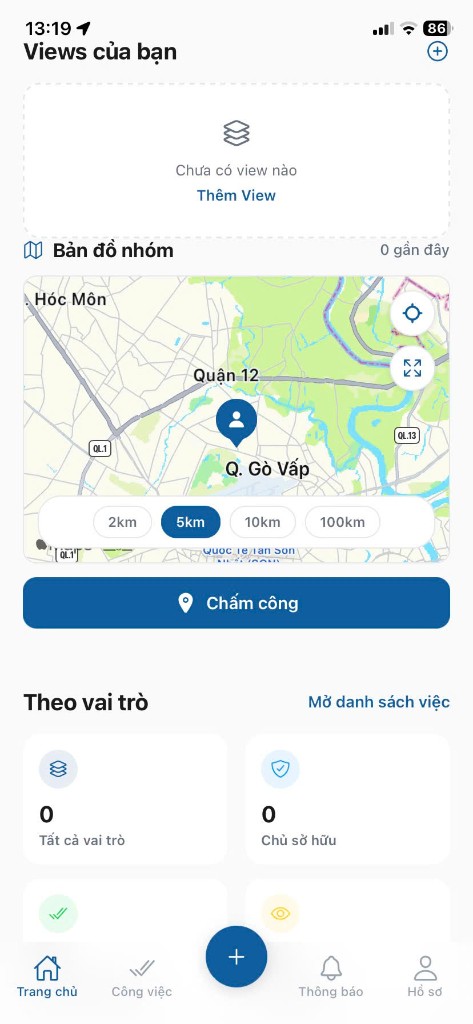
HKSpace Mobile combines task updates, instant alerts, and GPS check-ins in one experience so teams do not have to switch between multiple tools while on the move.
Instant alerts
Get instant alerts for new tasks, status changes, comments and reminders.
Location-based check-ins
Verify presence at the right site and keep a clear activity history for managers.
Web and mobile stay synced
Everyone sees the same live status so there is less chasing for updates.
One flow for every role
Field staff and office managers work from the same source of truth.
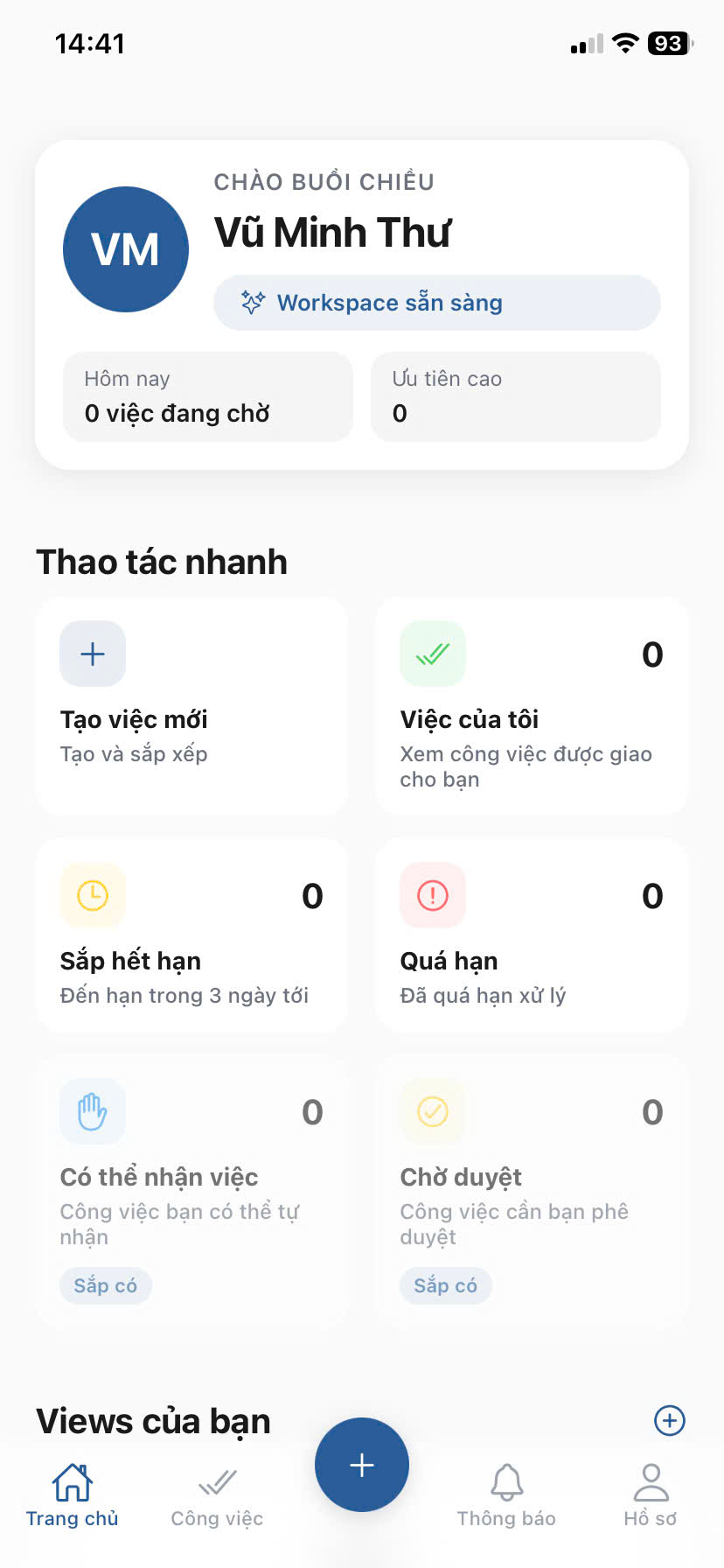
HKSpace
3 tasks pending
Home
Tasks
Alerts
Profile
Push Notification
Real-time
Early Access Stories
Team scenarios
that fit HKSpace best
Instead of showing fictional testimonials, we explain the team situations where HKSpace delivers the most value during early rollout.
Internal ops teams
Managing work across departments
“Create clear ownership, deadlines, and status visibility so leaders can quickly spot what is blocked.”
Agencies and studios
Running multiple projects at once
“Keep files, feedback, and checklists inside one execution flow so handoffs stop slipping through the cracks.”
Field teams
Need mobile and GPS workflows
“Let staff update tasks and verify check-ins by location directly from mobile without heavy manual input.”
Transparent social proof
HKSpace is in Early Access. Once customers approve public case studies, this section will be updated with real stories and verified outcomes.
Go to signup formEarly Access for pioneering teams
HKSpace is opening limited Early Access slots with 1:1 onboarding and a clear rollout path.
Starter
For teams that want a fast, hands-on trial
What you get
- Up to 10 members
- Tasks, Folders, 5 view types
- Core automation and AI
- Initial onboarding support
- Post-pilot needs review
Growth
Early-adopter package for growing teams
What you get
- Up to 30 members
- Full automation and AI
- Guided onboarding with HKSpace
- Priority product feedback loop
- Lock in founding-team benefits pre-release
Enterprise
Co-build rollout for larger organizations
What you get
- Unlimited teams and workspaces
- Process customization
- Internal system integrations
- SLA and dedicated support
- Milestone-based implementation plan
FAQs
Everything you need to know about features, pricing and support.
HKSpace is an all-in-one work management platform combining task assignment, progress tracking, workflow automation, Vietnamese AI, HR management and CRM in a single system.
Yes. HKSpace offers a free 30-day trial for up to 10 members, including task and folder management, 5 view types, basic automation and AI. No credit card required.
HKSpace is built for Vietnamese teams with Vietnamese AI support, a built-in HR module (GPS check-in, leave management, KPI) and no-code workflow automation.
HKSpace works for teams of 5 to 500+ members. The Starter plan suits small teams, Growth supports up to 30 members, and Enterprise has no limits.
Yes. HKSpace Mobile lets your team update tasks, receive alerts and verify GPS check-ins from their phone, synced in real time with the web app.
HKSpace uses 3-level permissions (global, folder, task) to control exactly who can view and edit data. You can also run AI on your own server so data never leaves your system.
Still have questions?
The HKSpace support team is always ready to answer any questions you have.
Contact SupportStart your HKSpace trial today
Join Early Access for 1:1 onboarding, fast setup, and a clear execution flow for your team.
Slots are limited per batch. Our team will reach out quickly to schedule onboarding.